Lucid Blocks Trainer
Free action trainer for Lucid Blocks — single-player cheats kept up to date with the latest game build. Toggle each option with its on-screen hotkey.
Free PC Game Trainers & Cheats Download
FLiNG Trainer is a free library of PC game trainers — lightweight tools that let you toggle cheats such as god mode, unlimited health, money and more in single-player games. We publish FLiNG trainers for thousands of titles and update them after major game patches so the cheats keep working with the latest build.
Every trainer here is free to download, runs offline, and is intended for single-player use only — never in online or multiplayer modes, where anti-cheat systems can ban your account. Each file is scanned before publication; antivirus false positives are common with memory-editing tools and are explained on our Safety FAQ.
Use the search box or browse the newest FLiNG trainers below to find cheats for your game.
Fresh and trending PC game trainers & cheats, updated for 2026:
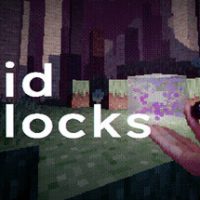
Free action trainer for Lucid Blocks — single-player cheats kept up to date with the latest game build. Toggle each option with its on-screen hotkey.
Free adventure trainer for Dyping Escape — single-player cheats kept up to date with the latest game build. Toggle each option with its on-screen hotkey.
Free adventure trainer for Drill and Delve — single-player cheats kept up to date with the latest game build. Toggle each option with its on-screen hotkey.

Free adventure trainer for Monster Hunter Stories 3: Twisted Reflection — single-player cheats kept up to date with the latest game build. Toggle each option with its on-screen hotkey.
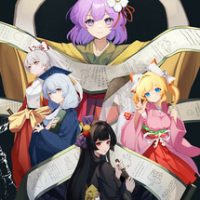
Free PC trainer for Gensokyo:Presumption of Guilt~Pansies Before Dawn — single-player cheats kept up to date with the latest game build. Toggle each option with its on-screen hotkey.

Free simulation trainer for CFS (Chinese Football Simulator) — single-player cheats kept up to date with the latest game build. Toggle each option with its on-screen hotkey.

Free PC trainer for Chosen Garden — single-player cheats kept up to date with the latest game build. Toggle each option with its on-screen hotkey.

Free simulation trainer for WWE 2K26 — single-player cheats kept up to date with the latest game build. Toggle each option with its on-screen hotkey.

Free adventure trainer for Corner Shop: NightShift — single-player cheats kept up to date with the latest game build. Toggle each option with its on-screen hotkey.

Free action trainer for Rhell: Warped Worlds & Troubled Times — single-player cheats kept up to date with the latest game build. Toggle each option with its on-screen hotkey.