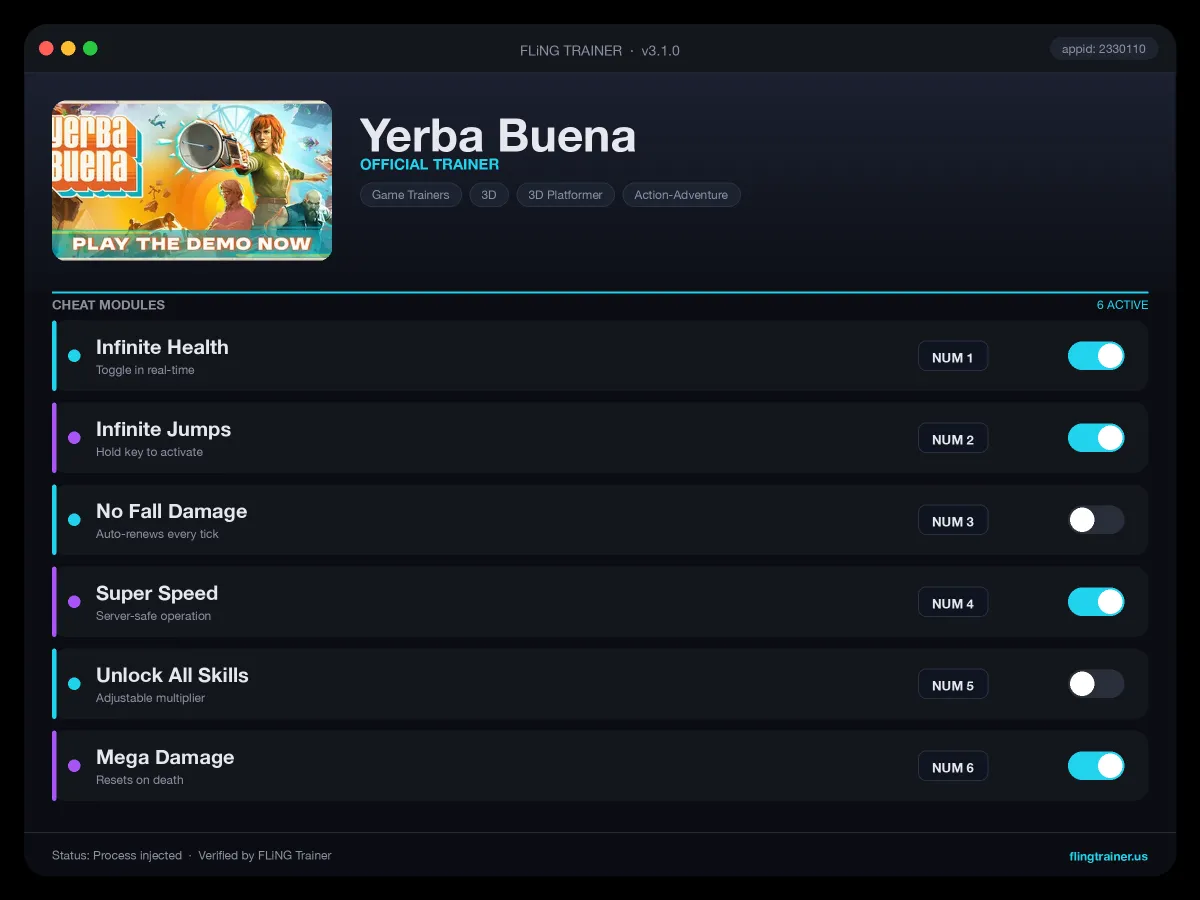
Welcome to the Yerba Buena trainer page on FLiNG Trainer. This page covers the entire Yerba Buena Trainer — options, installation, compatibility, and the most typical questions players ask.
At a Glance
- 🎮 Yerba Buena by Mad About Pandas · published by Focus Entertainment
- 📅 26 May, 2026
- 🏷️ Puzzle Platformer, Singleplayer, Action-Adventure, 3D Platformer, Cartoony, Exploration
- 🧪 Trainer tested on Steam build — Windows 10 / 11 x64
About Yerba Buena
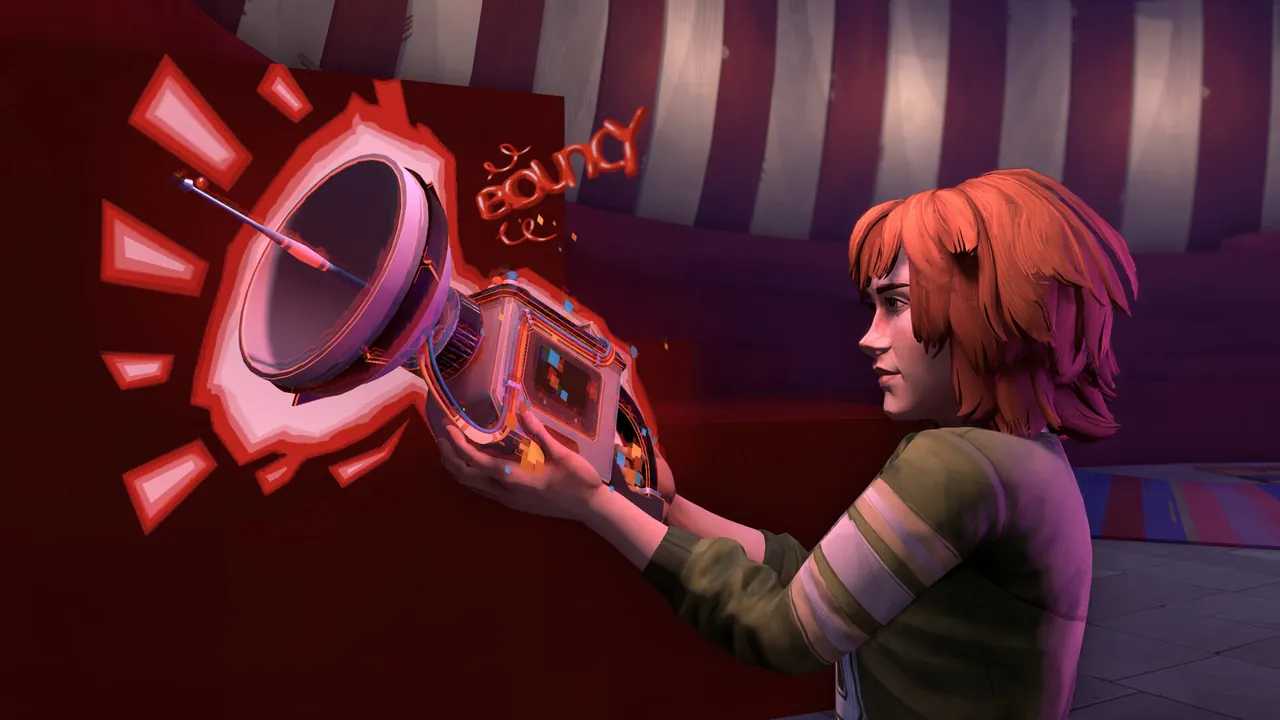
Become the main character you were never meant to be with the help of your friends Russell, Wanda, Jorge, and some unlikely allies! Give a table the bounce of a trampoline, send entire buildings across city blocks or turn solid walls into thin air! Master a ground-breaking “Copy and Paste” mechanic and manipulate the gameworld by applying the movement and physical traits of objects onto others. Your beloved city of San Francisco is under threat from a sinister plot and it is up to you to save it with the help of a mysterious and powerful device: the Oscillator. Dive into an original video game world set in 1970’s San Francisco and save your city from greed and destruction! Use your Oscillator to solve ingenious puzzles, track down a dangerous gang of bikers with superpowers, and discover the origins of the mysterious glitch that threatens San Francisco. Play as Barb, a young woman struggling to find her way in 1970s San Francisco. About This Game Step into a surreal puzzle-platforming adventure as Barb, a young woman living as an NPC in an abandoned gameworld.
Official Steam page: Yerba Buena on Steam — published by Focus Entertainment.
Frequently Asked Questions
Who made this trainer?
It is compiled and QA-tested by the FLiNG Trainer team. Original game assets belong to Focus Entertainment.
Which game version does this build support?
The release targets the latest Steam edition of Yerba Buena. Earlier versions may work but are not officially supported.
Is the Yerba Buena trainer free to download?
Yes — this build is 100% free. No paid unlocks, no forced registration, no hidden fees on FLiNG Trainer.
Can I request a new feature?
Yes — send a request via the comment section. Requests with a specific save file or reproduction steps are prioritized.
Does it work in online or multiplayer mode?
No. Use this build only in offline or single-player mode. Online anti-cheat systems (EAC, BattlEye, VAC) can ban your account.
This advanced Yerba Buena trainer ships with 13 fully working options tailored for the platformer genre. Each one is memory-driven and toggled from a hotkey, so you never leave the game window:
- Mega Damage — Multiplies your outgoing damage by 10x.
- Infinite Stamina — Freezes stamina and sprint gauges.
- Unlimited Money — Sets wallet counter to max after any transaction.
- Game Speed — Slows or speeds up game time.
- Freeze Timer — Pauses mission and world timers.
- Unlock All Abilities — Flags every skill-tree node as learned.
- God Mode — Locks your health pool at maximum.
- No Cooldowns — Removes ability and spell cooldowns globally.
- Unlimited Health — Auto-refills HP each frame while toggled.
- Unlimited Skill Points — Refreshes skill points after each spend.
- One-Hit Kill — Forces enemy HP to 1 on first hit.
- Unlimited Ammo — Locks current magazine counter.
- Super Speed — Boosts move speed 2–4x.
Screenshots
How to Install
- Download the archive from the link below.
- Right-click the archive and extract it with 7-Zip or WinRAR (password: flingtrainer).
- Temporarily disable your antivirus or whitelist the extracted folder.
- Launch Yerba Buena and load any save.
- Alt-Tab out of the game, right-click the trainer executable and choose “Run as administrator”.
- Back in-game, press the listed hotkeys (usually F1, F2, F3…) to toggle each option.
- Avoid alt-tabbing repeatedly while cheats are active — some toggles reset on window switch.
Pro Tips from the Editor
- Toggle cheats off before scripted cutscenes — some cinematics check HP or timers and can soft-lock.
- Quick-save in Yerba Buena just before toggling any XP or economy cheat — that way a rogue multiplier never snowballs your progression.
- Keep Mega Damage disabled during boss phase transitions — skipping a phase can leave the fight unkillable.
- Run the trainer after loading into a save, not from the main menu. Some games replay the intro with modified memory and glitch.
How This Trainer Compares
Compared to generic cheat engines, this release ships with pre-built, version-locked hotkeys — no manual pointer hunting, no CE-script imports, no waiting for community tables to catch up. The downside is less flexibility: you cannot add custom options, but the upside is near-zero setup friction and a faster patch cycle after every Focus Entertainment update.
Known Limitations
- Online and co-op modes are unsupported. Use the trainer offline only.
- Several options (mega damage, one-hit kill) may soft-lock scripted boss encounters — turn them off before cutscenes.
- Antivirus false positives are expected; the trainer injects into process memory, not system files.
Related Trainers
Editor: Kenji Adler. Former modder. Writes feature breakdowns, hotkey guides, and deep-dive reviews of single-player cheat suites on Windows.
Antivirus False Positive Notice
This trainer uses memory-editing technology to modify game values in real time. Some antivirus programs may flag it as suspicious — this is a known false positive common to all memory-editing software, not an indication of malware.
Verify the file yourself: Upload it to VirusTotal.com to scan with 70+ antivirus engines before running.