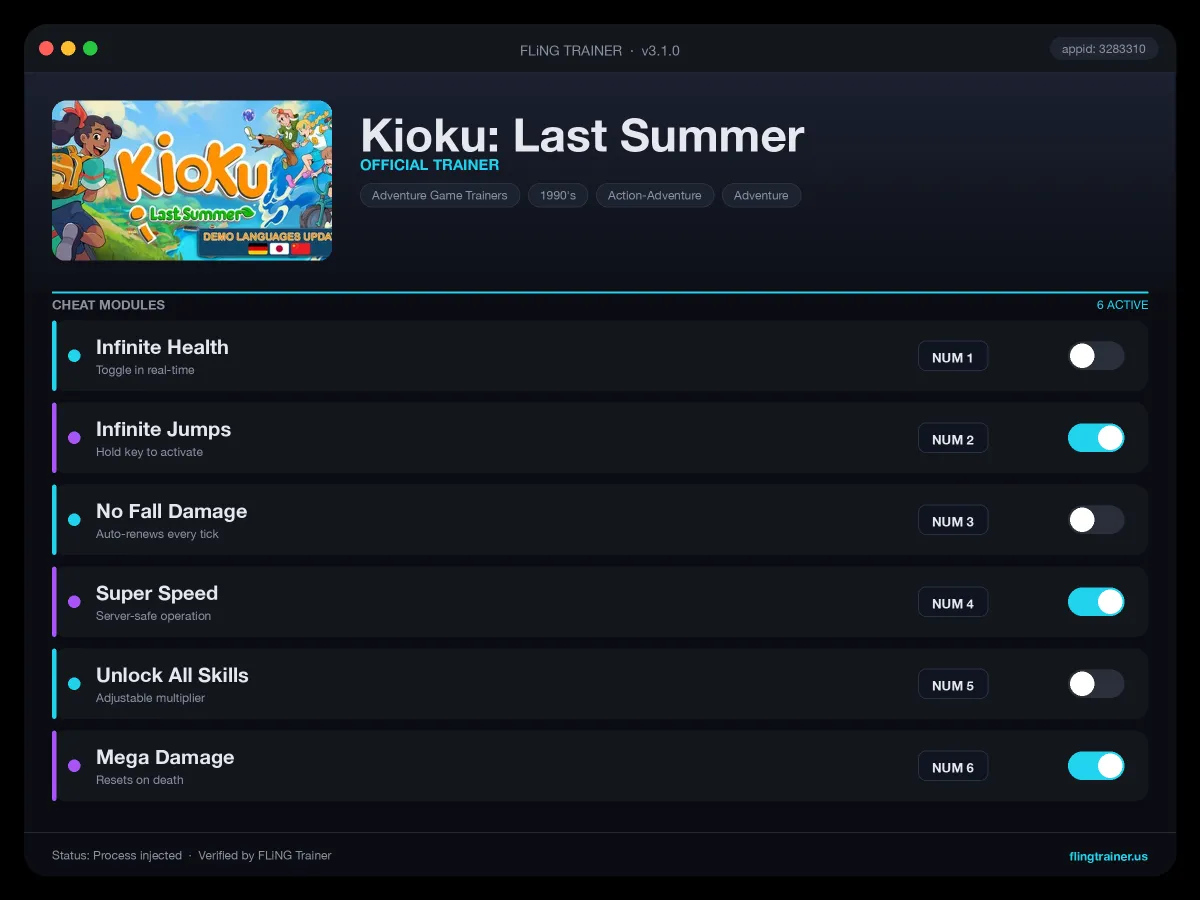
Welcome to the Kioku: Last Summer trainer page on FLiNG Trainer. This page covers the complete Kioku: Last Summer Trainer — options, installation, compatibility, and the most frequent questions players ask.
At a Glance
- 🎮 Kioku: Last Summer by Lugn Games · published by Assemble Entertainment
- 📅 28 May, 2026
- 🏷️ Casual, Adventure, Cozy, Fishing, Family Friendly, Female Protagonist
- 🧪 Trainer tested on Steam build — Windows 10 / 11 x64
About Kioku: Last Summer
About This Game 🏝️ Welcome to Kioku island, Asti’s current home! The more you connect, the more the island opens up – latest stories, new places, new little routines. There are secrets tucked everywhere, and the best moments usually happen when you’re not rushing. If you follow your curiosity, you’ll always find something new. Thank you for playing our first game c: – Lugn Games 🎴 Marubi is the island’s latest obsession Open packs, meet new marble monsters and build a team you love. Challenge the locals and watch your Marubï slam into the arena with a satisfying clack. 👨👩👦 Meet the locals of Kioku Get to know the locals, help them out, and earn your place in the community. Ride your bike, wander off the path, and let the days unfold at your own pace. 🚲 Wander freely across Kioku Island Kioku is a cozy island made for wandering, with secrets tucked into every path and corner. Drift from town streets and the pier to forest trails, the mountain, and places that feel a little mysterious. 🦀 Fishing on warm summer days Cast your line, catch fish , and pull up crabs to add to your collection. KEY FEATURES: 🏝️ Exploration: Roam as Asti a cozy open island packed with secrets, shortcuts and surprises 🦀 Minigames: Go crab fishing, battle in Marubi and enjoy this 2000s childhood summer 🤝 Villagers: Meet memorable locals, build friendships and shape your summer story 📸 Memories: Capture moments and relive your adventure through in-game photos ⛩️ Japandi: Discover a world blending Japanese and Scandinavian charm ☀️ Please Wishlist and Play The Demo! Every catch feels like a little win, especially when something rare surprises you.
Official Steam page: Kioku: Last Summer on Steam — published by Assemble Entertainment.
Frequently Asked Questions
Does it work in online or multiplayer mode?
No. Use this build only in offline or single-player mode. Online anti-cheat systems (EAC, BattlEye, VAC) can ban your account.
How do I activate it?
Launch the game first, then run the trainer as administrator. Use the listed hotkeys (F1, F2, etc.) in-game to toggle each option.
Who made this trainer?
It is compiled and QA-tested by the FLiNG Trainer team. Original game assets belong to Assemble Entertainment.
Can I request a new feature?
Yes — send a request via the comment section. Requests with a specific save file or reproduction steps are prioritized.
Which game version does this build support?
The release targets the latest Steam edition of Kioku: Last Summer. Earlier versions may work but are not officially supported.
This advanced Kioku: Last Summer trainer ships with 13 fully working options tailored for the general PC genre. Each one is memory-driven and toggled from a hotkey, so you never leave the game window:
- Game Speed — Slows or speeds up game time.
- Infinite Stamina — Freezes stamina and sprint gauges.
- Instant Craft — Skips crafting animation and material-check delays.
- Mega Damage — Multiplies your outgoing damage by 10x.
- Unlimited Ammo — Locks current magazine counter.
- Max XP — Fast-levels your character.
- No Cooldowns — Removes ability and spell cooldowns globally.
- Unlimited Health — Auto-refills HP each frame while toggled.
- God Mode — Locks your health pool at maximum.
- Unlimited Skill Points — Refreshes skill points after each spend.
- Super Speed — Boosts move speed 2–4x.
- Unlock All Abilities — Flags every skill-tree node as learned.
- Freeze Timer — Pauses mission and world timers.
Screenshots

How to Install
- Download the archive from the link below.
- Right-click the archive and extract it with 7-Zip or WinRAR (password: flingtrainer).
- Temporarily disable your antivirus or whitelist the extracted folder.
- Launch Kioku: Last Summer and load any save.
- Alt-Tab out of the game, right-click the trainer executable and choose “Run as administrator”.
- Back in-game, press the listed hotkeys (usually F1, F2, F3…) to toggle each option.
- Avoid alt-tabbing repeatedly while cheats are active — some toggles reset on window switch.
Pro Tips from the Editor
- Keep Mega Damage disabled during boss phase transitions — skipping a phase can leave the fight unkillable.
- Apply the trainer only on the Steam build. Pirated, cracked or region-specific copies often have shifted memory offsets and the cheats silently fail.
- Quick-save in Kioku: Last Summer just before toggling any XP or economy cheat — that way a rogue multiplier never snowballs your progression.
- If an option does nothing, the game just patched. Close the tool, wait for an updated build and re-test — old pointers stop firing after hotfixes.
How This Trainer Compares
Compared to generic cheat engines, this release ships with pre-built, version-locked hotkeys — no manual pointer hunting, no CE-script imports, no waiting for community tables to catch up. The downside is less flexibility: you cannot add custom options, but the upside is near-zero setup friction and a faster patch cycle after every Assemble Entertainment update.
Known Limitations
- Online and co-op modes are unsupported. Use the trainer offline only.
- Several options (mega damage, one-hit kill) may break scripted boss encounters — toggle before cutscenes.
- Antivirus false positives are routine; the trainer injects into process memory, not system files.
Related Trainers
Editor: Priya Nadeau. Reviews story-driven RPGs and their cheat tables. Covers Souls-likes, JRPGs, and open-world RPG trainer releases.
Antivirus False Positive Notice
This trainer uses memory-editing technology to modify game values in real time. Some antivirus programs may flag it as suspicious — this is a known false positive common to all memory-editing software, not an indication of malware.
Verify the file yourself: Upload it to VirusTotal.com to scan with 70+ antivirus engines before running.